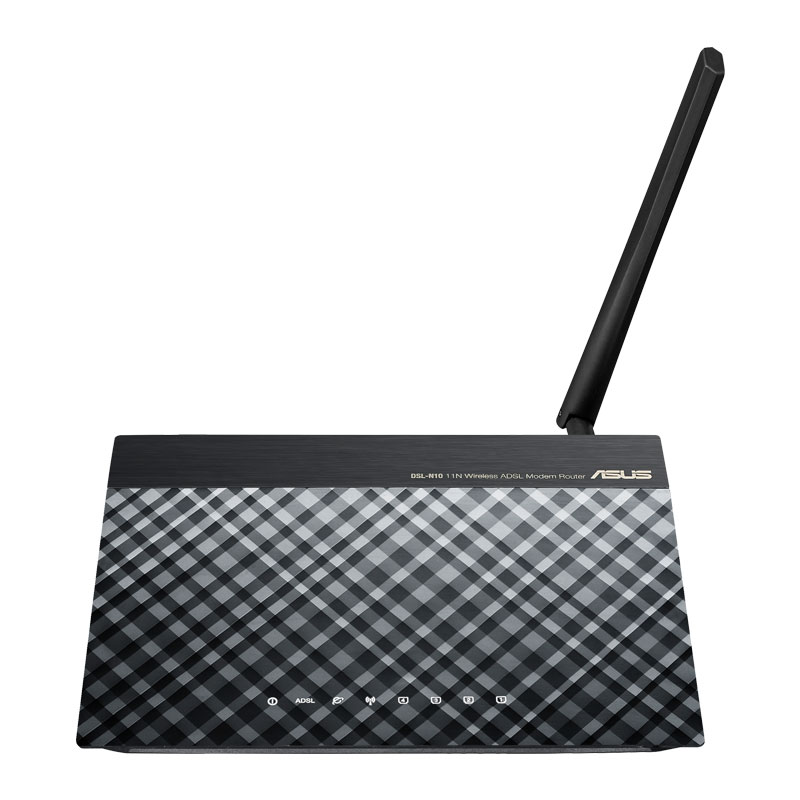
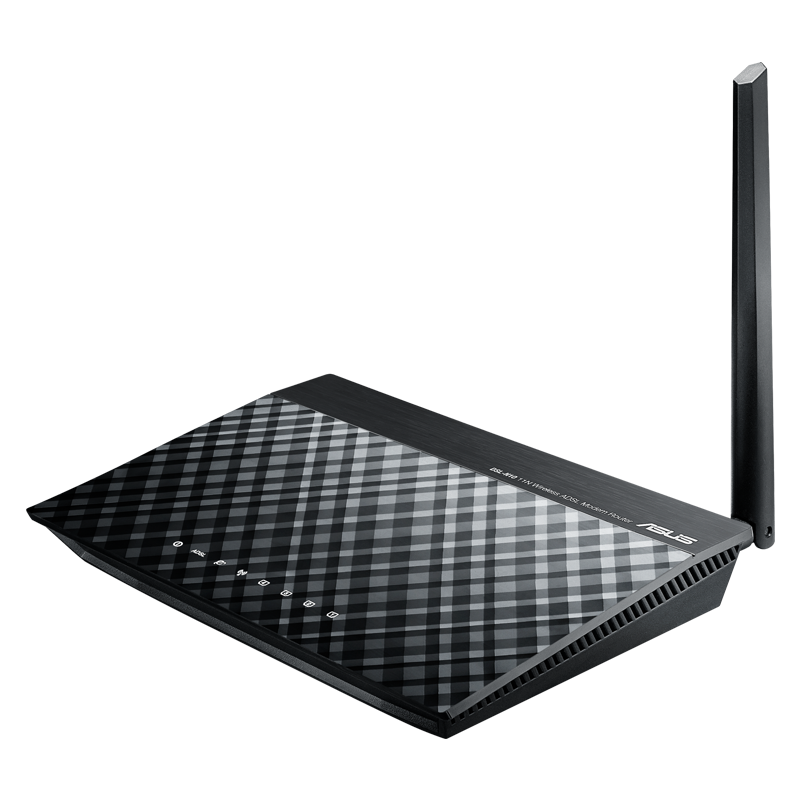
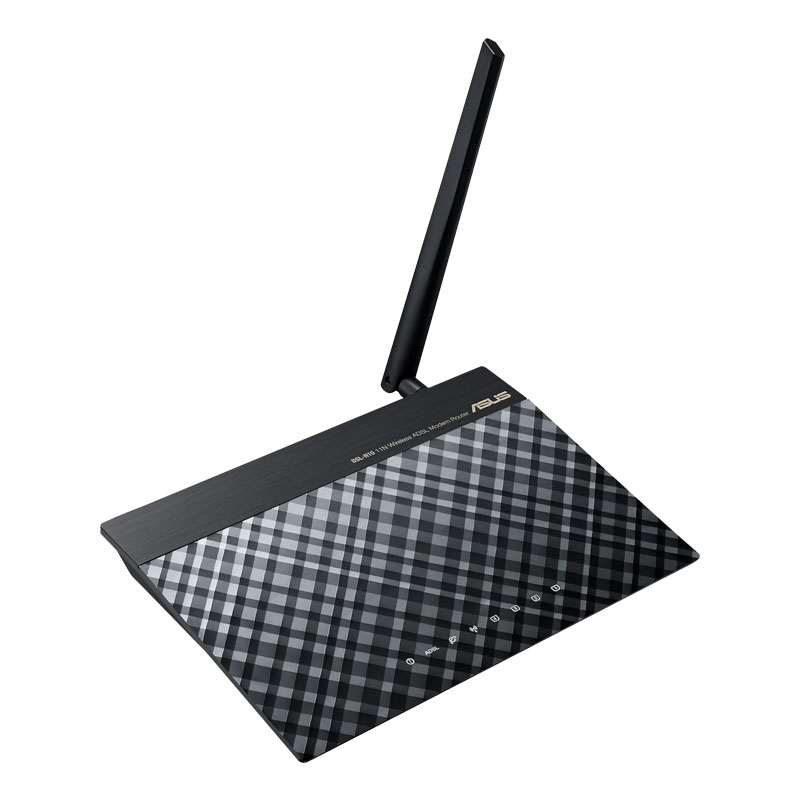
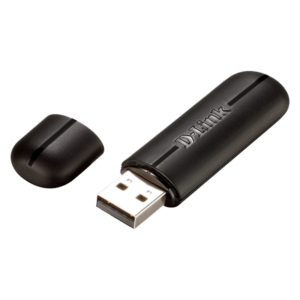
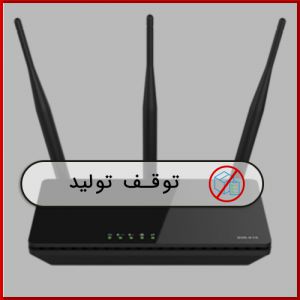
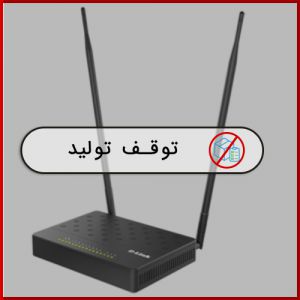
مودم روتر DSL-N10 C1 ایسوس

  • مودم ADSL و روتر بی‌سیم در یک دستگاه
  • را‌ه ‌اندازی آسان در 30 ثانیه با رابط گرافیکی کاربری ASUSWRT
  • چهار شبکه بی‌سیم مجزا
  • دکمه مستقل برای خاموش/روشن کردن شبکه بی‌سیم و WPS
  • 3 سال گارانتی آونگ

ناموجود

0 نفر در حال مشاهده محصول هستند

توضیحات

[fusion_builder_container hundred_percent=”no” hundred_percent_height=”no” hundred_percent_height_scroll=”no” hundred_percent_height_center_content=”yes” equal_height_columns=”no” menu_anchor=”” hide_on_mobile=”small-visibility,medium-visibility,large-visibility” class=”” id=”” background_color=”” background_image=”” background_position=”center center” background_repeat=”no-repeat” fade=”no” background_parallax=”none” enable_mobile=”no” parallax_speed=”0.3″ video_mp4=”” video_webm=”” video_ogv=”” video_url=”” video_aspect_ratio=”16:9″ video_loop=”yes” video_mute=”yes” video_preview_image=”” border_color=”#1282ba” border_style=”solid” margin_top=”” margin_bottom=”” padding_top=”” padding_right=”10%” padding_bottom=”” padding_left=”10%” type=”legacy” border_sizes_top=”4px” border_sizes_bottom=”4px” border_sizes_left=”0px” border_sizes_right=”0px”][fusion_builder_row][fusion_builder_column type=”1_1″ layout=”1_1″ spacing=”” center_content=”no” link=”” target=”_self” min_height=”” hide_on_mobile=”small-visibility,medium-visibility,large-visibility” class=”” id=”” background_color=”” background_image=”” background_position=”left top” background_repeat=”no-repeat” hover_type=”none” border_color=”#1282ba” border_style=”solid” border_position=”all” padding_top=”” padding_right=”” padding_bottom=”15px” padding_left=”” margin_top=”” margin_bottom=”” animation_type=”” animation_direction=”left” animation_speed=”0.3″ animation_offset=”” last=”true” border_sizes_top=”0″ border_sizes_bottom=”0″ border_sizes_left=”0″ border_sizes_right=”0″ first=”true”][fusion_tagline_box backgroundcolor=”#1282ba” shadow=”yes” shadowopacity=”0.7″ border=”0″ bordercolor=”” highlightposition=”left” content_alignment=”center” link=”” button=”” linktarget=”_self” modal=”” button_size=”” button_type=”” buttoncolor=”default” title=”” description=”” margin_top=”0px” margin_bottom=”20px” hide_on_mobile=”small-visibility,medium-visibility,large-visibility” class=”” id=”” animation_type=”slide” animation_direction=”down” animation_speed=”0.7″ animation_offset=””]

توضیحات محصول

[/fusion_tagline_box][fusion_text columns=”” column_min_width=”” column_spacing=”” rule_style=”default” rule_size=”” rule_color=”” hide_on_mobile=”small-visibility,medium-visibility,large-visibility” class=”” id=””]

شبکه بی سیم سریع تر، فضای گسترده تر و اختلال کمتر

مودم روتر DSL-N10 C1 دارای سرعت شبکه بی سیم 150مگابیت در ثانیه است. این دستگاه ADSL می تواند به عنوان مودم کار کند. در نتیجه نیاز به یک مودم جداگانه از بین رفته و موجب صرفه جویی می شود. DSL-N10 C1 از رابط کاربری جدید ASUSWRT بهره مند است که دارای تنظیمات پیشرفته است که به راحتی در عرض 30 ثانیه راه اندازی می شود. استفاده از 4 شبکه SSID جداگانه انعطاف پذیری بیشتری را فراهم می کند. وجود کلید WPS با یک تماس موجب اضافه شدن یک دستگاه به شبکه می شود.

انعطاف پذیری کامل با اتصالات DSL و اترنت اینترنت

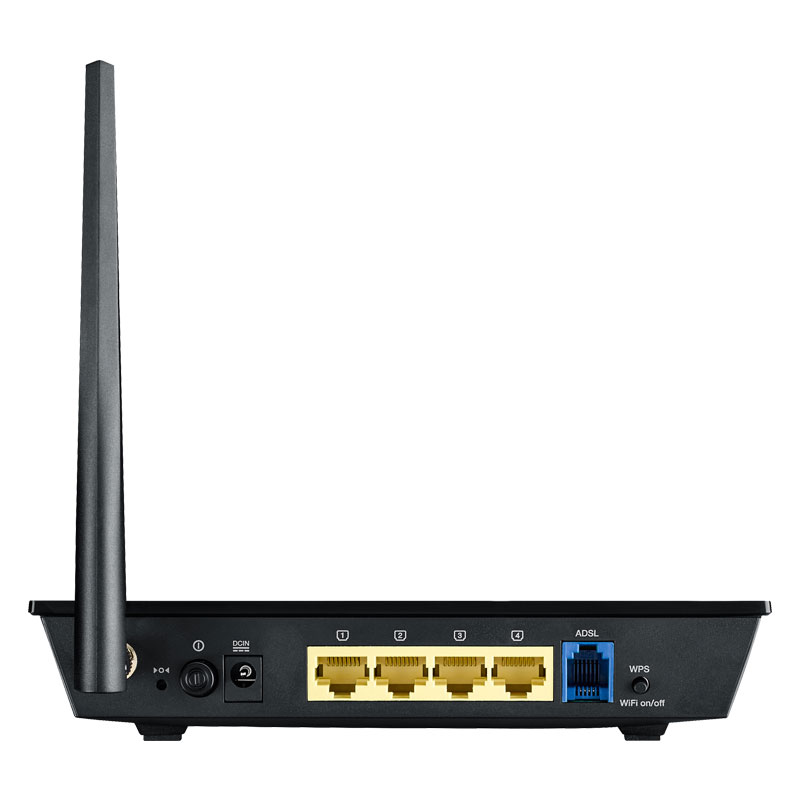
این دستگاه چندین شیوه اتصال به اینترنت را برای شما فراهم می کند. از طریق DSL و یا اترنت. می توانید این دستگاه را به عنوان یک مودم ADSL  و یا یک روتر بی سیم مستقل استفاده کنید.  همچنین با قابلیت سوییچ سریع بین دو حالت در صورتی قطعی یکی از اتصالات( و برگشت به حالت عادی ) و یا قابلیت ترکیب پهنای باند چندین اتصال، ارتباط قابل اعتمادی را برای تان فراهم می کند.

[/fusion_text][/fusion_builder_column][fusion_builder_column type=”1_2″ layout=”1_2″ spacing=”” center_content=”no” link=”” target=”_self” min_height=”” hide_on_mobile=”small-visibility,medium-visibility,large-visibility” class=”” id=”” background_color=”” background_image=”” background_image_id=”” background_position=”left top” background_repeat=”no-repeat” hover_type=”none” border_color=”” border_style=”solid” border_position=”all” padding_top=”” padding_right=”” padding_bottom=”” padding_left=”” margin_top=”” margin_bottom=”” animation_type=”” animation_direction=”left” animation_speed=”0.3″ animation_offset=”” last=”false” border_sizes_top=”0″ border_sizes_bottom=”0″ border_sizes_left=”0″ border_sizes_right=”0″ first=”true” spacing_right=””][fusion_text columns=”” column_min_width=”” column_spacing=”” rule_style=”default” rule_size=”” rule_color=”” hide_on_mobile=”small-visibility,medium-visibility,large-visibility” class=”” id=””]

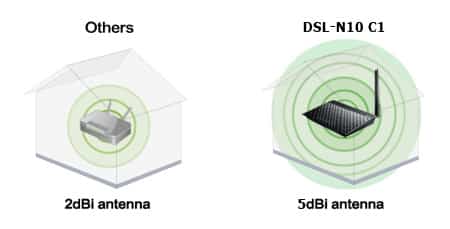
پوشش دهی گسترده و قدرتمند

مجهز شدن به آنتن با قدرت 5dBi موجب می شود که این دستگاه بتواند گستره پوشش دهی گسترده ای داشته باشد.

[/fusion_text][/fusion_builder_column][fusion_builder_column type=”1_2″ layout=”1_2″ spacing=”” center_content=”no” link=”” target=”_self” min_height=”” hide_on_mobile=”small-visibility,medium-visibility,large-visibility” class=”” id=”” background_color=”” background_image=”” background_image_id=”” background_position=”left top” background_repeat=”no-repeat” hover_type=”none” border_color=”” border_style=”solid” border_position=”all” padding_top=”” padding_right=”” padding_bottom=”” padding_left=”” margin_top=”” margin_bottom=”” animation_type=”” animation_direction=”left” animation_speed=”0.3″ animation_offset=”” last=”true” border_sizes_top=”0″ border_sizes_bottom=”0″ border_sizes_left=”0″ border_sizes_right=”0″ first=”false”][fusion_imageframe image_id=”28906|full” max_width=”” style_type=”” blur=”” stylecolor=”” hover_type=”none” bordersize=”” bordercolor=”” borderradius=”” align=”none” lightbox=”no” gallery_id=”” lightbox_image=”” lightbox_image_id=”” alt=”DSL-N10_C1″ link=”” linktarget=”_self” hide_on_mobile=”small-visibility,medium-visibility,large-visibility” class=”” id=”” animation_type=”” animation_direction=”left” animation_speed=”0.3″ animation_offset=””]https://avang.ir/wp-content/uploads/2018/05/DSL-N10_C1-1.jpg[/fusion_imageframe][/fusion_builder_column][fusion_builder_column type=”1_2″ layout=”1_2″ spacing=”” center_content=”no” link=”” target=”_self” min_height=”” hide_on_mobile=”small-visibility,medium-visibility,large-visibility” class=”” id=”” background_color=”” background_image=”” background_image_id=”” background_position=”left top” background_repeat=”no-repeat” hover_type=”none” border_color=”” border_style=”solid” border_position=”all” padding_top=”” padding_right=”” padding_bottom=”” padding_left=”” margin_top=”” margin_bottom=”” animation_type=”” animation_direction=”left” animation_speed=”0.3″ animation_offset=”” last=”false” border_sizes_top=”0″ border_sizes_bottom=”0″ border_sizes_left=”0″ border_sizes_right=”0″ first=”true” spacing_right=””][fusion_imageframe image_id=”28907|full” max_width=”” style_type=”” blur=”” stylecolor=”” hover_type=”none” bordersize=”” bordercolor=”” borderradius=”” align=”none” lightbox=”no” gallery_id=”” lightbox_image=”” lightbox_image_id=”” alt=”DSL-N10_C1″ link=”” linktarget=”_self” hide_on_mobile=”small-visibility,medium-visibility,large-visibility” class=”” id=”” animation_type=”” animation_direction=”left” animation_speed=”0.3″ animation_offset=””]https://avang.ir/wp-content/uploads/2018/05/DSL-N10_C1-2.jpg[/fusion_imageframe][/fusion_builder_column][fusion_builder_column type=”1_2″ layout=”1_2″ spacing=”” center_content=”no” link=”” target=”_self” min_height=”” hide_on_mobile=”small-visibility,medium-visibility,large-visibility” class=”” id=”” background_color=”” background_image=”” background_image_id=”” background_position=”left top” background_repeat=”no-repeat” hover_type=”none” border_color=”” border_style=”solid” border_position=”all” padding_top=”” padding_right=”” padding_bottom=”” padding_left=”” margin_top=”” margin_bottom=”” animation_type=”” animation_direction=”left” animation_speed=”0.3″ animation_offset=”” last=”true” border_sizes_top=”0″ border_sizes_bottom=”0″ border_sizes_left=”0″ border_sizes_right=”0″ first=”false”][fusion_text columns=”” column_min_width=”” column_spacing=”” rule_style=”default” rule_size=”” rule_color=”” hide_on_mobile=”small-visibility,medium-visibility,large-visibility” class=”” id=””]

راه اندازی سریع در 30 ثانیه

در عرض 30 ثانیه و به راحتی می توانید از طریق تلفن های هوشمند، تبلت ها و لپ تاپ های خود مودم روتر DSL-N10_C1 را راه اندازی کنید. تنها در سه مرحله، کابل را به روتر وصل کنید، یک مرورگر را باز کنید و از طریق ویزارد مراحل را پشت سر بگذارید.

[/fusion_text][/fusion_builder_column][fusion_builder_column type=”1_2″ layout=”1_2″ spacing=”” center_content=”no” link=”” target=”_self” min_height=”” hide_on_mobile=”small-visibility,medium-visibility,large-visibility” class=”” id=”” background_color=”” background_image=”” background_image_id=”” background_position=”left top” background_repeat=”no-repeat” hover_type=”none” border_color=”” border_style=”solid” border_position=”all” padding_top=”” padding_right=”” padding_bottom=”” padding_left=”” margin_top=”” margin_bottom=”” animation_type=”” animation_direction=”left” animation_speed=”0.3″ animation_offset=”” last=”false” border_sizes_top=”0″ border_sizes_bottom=”0″ border_sizes_left=”0″ border_sizes_right=”0″ first=”true” spacing_right=””][fusion_text columns=”” column_min_width=”” column_spacing=”” rule_style=”default” rule_size=”” rule_color=”” hide_on_mobile=”small-visibility,medium-visibility,large-visibility” class=”” id=””]

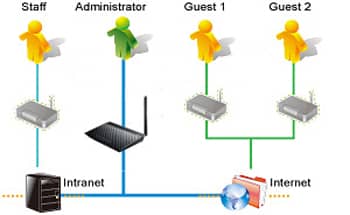
اینترنت اختصاصی برای مهمانان شما

می توانید به راحتی برای مهمانان خود امکان دسترسی به اینترنت فراهم کنید. بدون اینکه نیاز باشد رمز شبکه خود را در اختیار آنها قرار دهید و یا اینکه آنها به منابع شما دسترسی داشته باشند. شبکه مهمان ایسوس تا سه شبکه مجزا را پشتیبانی می کند. هر شبکه دارای محدودیت ها و رمز ورود مختص به خود است.

[/fusion_text][/fusion_builder_column][fusion_builder_column type=”1_2″ layout=”1_2″ spacing=”” center_content=”no” link=”” target=”_self” min_height=”” hide_on_mobile=”small-visibility,medium-visibility,large-visibility” class=”” id=”” background_color=”” background_image=”” background_image_id=”” background_position=”left top” background_repeat=”no-repeat” hover_type=”none” border_color=”” border_style=”solid” border_position=”all” padding_top=”” padding_right=”” padding_bottom=”” padding_left=”” margin_top=”” margin_bottom=”” animation_type=”” animation_direction=”left” animation_speed=”0.3″ animation_offset=”” last=”true” border_sizes_top=”0″ border_sizes_bottom=”0″ border_sizes_left=”0″ border_sizes_right=”0″ first=”false”][fusion_imageframe image_id=”28908|full” max_width=”” style_type=”” blur=”” stylecolor=”” hover_type=”none” bordersize=”” bordercolor=”” borderradius=”” align=”none” lightbox=”no” gallery_id=”” lightbox_image=”” lightbox_image_id=”” alt=”DSL-N10_C1″ link=”” linktarget=”_self” hide_on_mobile=”small-visibility,medium-visibility,large-visibility” class=”” id=”” animation_type=”” animation_direction=”left” animation_speed=”0.3″ animation_offset=””]https://avang.ir/wp-content/uploads/2018/05/DSL-N10_C1-3.jpg[/fusion_imageframe][/fusion_builder_column][fusion_builder_column type=”1_2″ layout=”1_2″ spacing=”” center_content=”no” link=”” target=”_self” min_height=”” hide_on_mobile=”small-visibility,medium-visibility,large-visibility” class=”” id=”” background_color=”” background_image=”” background_image_id=”” background_position=”left top” background_repeat=”no-repeat” hover_type=”none” border_color=”” border_style=”solid” border_position=”all” padding_top=”” padding_right=”” padding_bottom=”” padding_left=”” margin_top=”” margin_bottom=”” animation_type=”” animation_direction=”left” animation_speed=”0.3″ animation_offset=”” last=”false” border_sizes_top=”0″ border_sizes_bottom=”0″ border_sizes_left=”0″ border_sizes_right=”0″ first=”true” spacing_right=””][fusion_imageframe image_id=”28893|full” max_width=”” style_type=”” blur=”” stylecolor=”” hover_type=”none” bordersize=”” bordercolor=”” borderradius=”” align=”none” lightbox=”no” gallery_id=”” lightbox_image=”” lightbox_image_id=”” alt=”DSL-N10_C1″ link=”” linktarget=”_self” hide_on_mobile=”small-visibility,medium-visibility,large-visibility” class=”” id=”” animation_type=”” animation_direction=”left” animation_speed=”0.3″ animation_offset=””]https://avang.ir/wp-content/uploads/2018/05/DSL-N12E-3.jpg[/fusion_imageframe][/fusion_builder_column][fusion_builder_column type=”1_2″ layout=”1_2″ spacing=”” center_content=”no” link=”” target=”_self” min_height=”” hide_on_mobile=”small-visibility,medium-visibility,large-visibility” class=”” id=”” background_color=”” background_image=”” background_image_id=”” background_position=”left top” background_repeat=”no-repeat” hover_type=”none” border_color=”” border_style=”solid” border_position=”all” padding_top=”” padding_right=”” padding_bottom=”” padding_left=”” margin_top=”” margin_bottom=”” animation_type=”” animation_direction=”left” animation_speed=”0.3″ animation_offset=”” last=”true” border_sizes_top=”0″ border_sizes_bottom=”0″ border_sizes_left=”0″ border_sizes_right=”0″ first=”false”][fusion_text columns=”” column_min_width=”” column_spacing=”” rule_style=”default” rule_size=”” rule_color=”” hide_on_mobile=”small-visibility,medium-visibility,large-visibility” class=”” id=””]

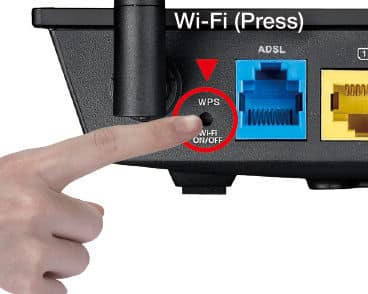
کلید روشن/ خاموش شبکه بی سیم

کلید WPS موجب راحتی کار و راه اندازی سریع می شود. بدون اینکه نیاز به پیکربندی خاصی وجود داشته باشد. همچنین با فشردن کلید خاموش روشن بی سیم میتوانید در مصرف انرژی صرفه جویی کنید.

[/fusion_text][/fusion_builder_column][/fusion_builder_row][/fusion_builder_container]

مشخصات

استانداردهای شبکهIEEE 802.11b, IEEE 802.11g, IEEE 802.11n, IPv4, IPv6
گروه محصولN150 instant easy access; 150Mbps
شبکه Wi-Fi802.11b : 1, 2, 5.5, 11Mbps 802.11g : 6,9,12,18,24,36,48,54Mbps 802.11n : up to 150Mbps
آنتنDetachable 5 dBi antenna x 1
حافظه32MB DDR / 8MB Flash
فرکانس های کاری2.4GHz
Operation Channel(13Europe (ETSI
رمزگذاری64-bit WEP, 128-bit WEP, WPA2-PSK, WPA-PSK, WPA-Enterprise , WPA2-Enterprise , Radius with 802.1x, WPS support
Firewall & Access ControlNAT and SPI (Stateful Packet Inspection) Firewall – enable/disable WAN ping – allow access from WAN – log of accepted and dropped Filtering: – Single Port and Port Range – URL based – MAC Address – DoS protection
مدیریتWeb-based GUI configuration Firmware upgraded, configuration data uploaded and downloaded via Web-based GUI Auto VPI/VCI detection Configuration backup and restore Diagnostics Log & Trace function
پورت‌ها1 x RJ11 for ADSL 4 x RJ45 10/100 BaseT for LAN
امکاناتAirtime Fairness Adaptive QoS AiProtection Parental Control Traffic Analyzer Guest Network : 2.4 GHz x 3, 5 GHz x 3 VPN server : IPSec Pass-Through, PPTP Pass-Through, L2TP Pass-Through, PPTP Server, OpenVPN Server VPN client : PPTP client, L2TP client, OpenVPN client Mac OS Backup Enhanced media server (AiPlayer app compatible) – Image : Jpeg – Audio : mp3, wma, wav, pcm, mp4, lpcm, ogg – Video : asf, avi, divx, mpeg, mpg, ts, vob, wmv, mkv, mov AiCloud personal cloud service 3G/4G data sharing Printer Server – Multifunctional printer support (Windows only) – LPR protocol support Download Master – Support bt, nzb, http, ed2k – Support encryption, DHT, PEX and magnet link – Upload and download bandwidth control – Download scheduling AiDisk file server – Samba and FTP server with account management Software Dual WAN IPTV support Roaming Assist
Router Special FeaturesMultiple SSIDs, Parental Control
پشتیبانی از VPNIPSec Pass-Throuth PPTP Pass-Through L2TP Pass-Through
دکمهWPS Button, Reset Button, Power Button, Wireless on/off Button
نرم‌افزارهای جانبیADSL Setting Wizards Device Discovery Firmware Restoration
منبع تغذیهAC Input : 100 ~240 V(50~60HZ) DC Output : 12 V/0.5 A
ابعاد123 x 190 x 35 mm (WxDxH)
وزنDevice Only)312 g)
EnvironmentalOperating Temperature: -10 °C to 50 °C (14 °F to 122 ºF) Storage Temperature: -40 ° to 60 ° C (-40 °F to 140 °F) Operating Humidity: 5 % to 95 % (Non-condensing) Storage Humidity: 5 % to 95 % (Non-condensing)
Manufacturer WarrantyLocalized to different countries
محتویات بستهDSL-N10_C1 Wireless ADSL Modem Router Power Adapter Quick Start Guide Support CD (user manual, Utilities) RJ45 cable, RJ11 cable Splitter (varies with regions)
تکنولوژی Wi-Fi802.11n
سرعت Wi-FiN300 و کمتر
درگاه USBندارد
استاندارد DSLADSL2
برندASUS

دیدگاه کاربران

نقد و بررسی‌ها

هنوز بررسی‌ای ثبت نشده است.

اولین کسی باشید که دیدگاهی می نویسد “مودم روتر DSL-N10 C1 ایسوس”

نشانی ایمیل شما منتشر نخواهد شد. بخش‌های موردنیاز علامت‌گذاری شده‌اند *

1 2 3 4 5